
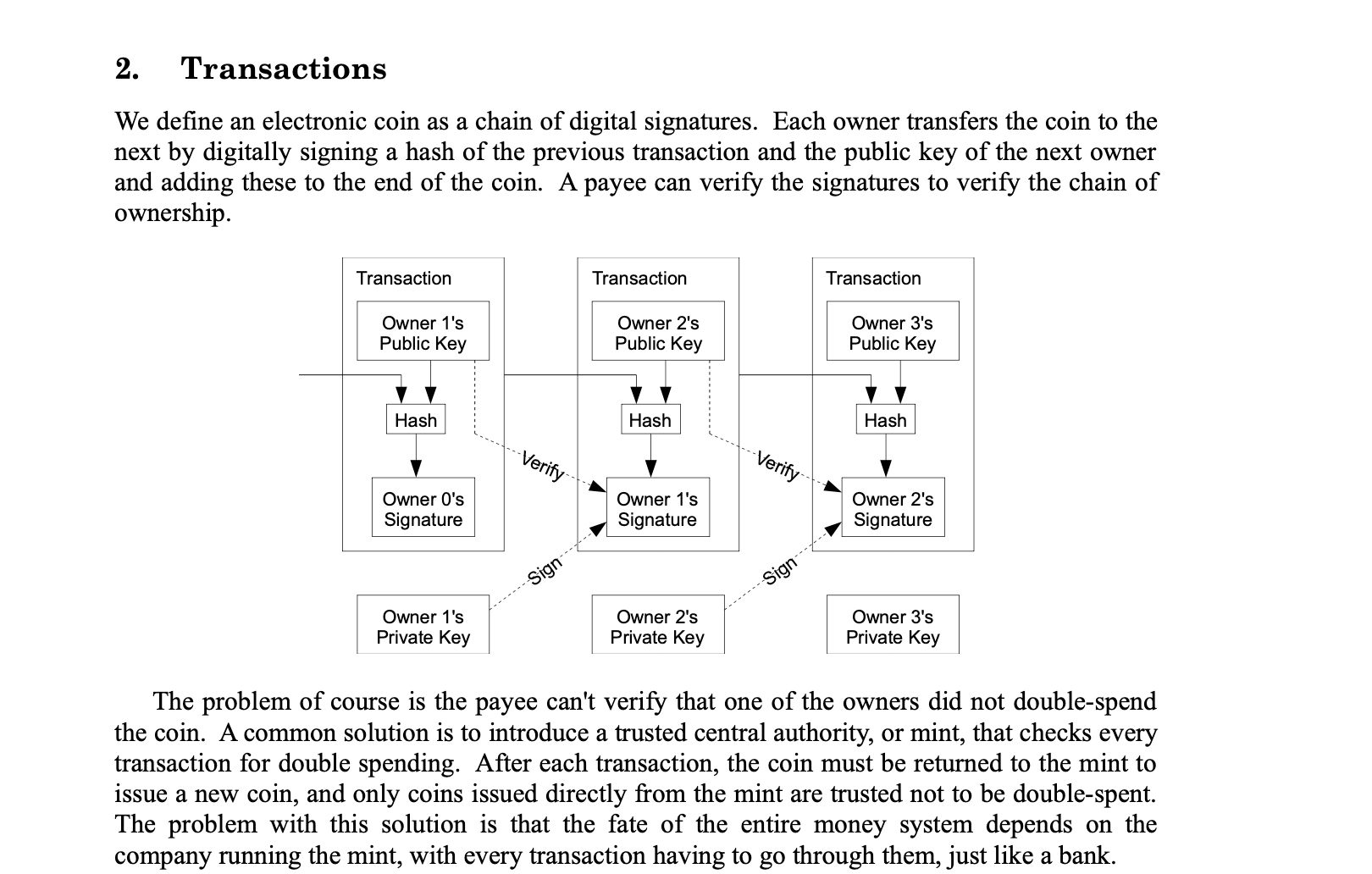
Technical white papers, system design documents, and operating manuals often include flowcharts made up of boxes, arrows, and text. They may look clear in a PDF, but after conversion to Word, the graphics can disappear, leave behind scattered text, or become a single image that cannot be edited.
If the converted document still needs updates or review, simply being able to see the flowchart is not enough. What users actually need is this: the full flowchart remains intact, and its boxes, connectors, and text can still be edited in Word.
Why do flowcharts often disappear in PDF-to-Word conversion?
A PDF stores the final visual appearance of a page. A flowchart on that page may consist only of separate line segments, rectangles, arrows, and text coordinates. It does not necessarily contain semantic information such as “this is a node” or “this line connects these two nodes.”
As a result, conversion tools often fall back to one of several degraded outcomes:
- Extract only the text, causing the graphic structure to disappear and labels to scatter into the document body.
- Capture the entire area as an image, preserving its appearance but preventing later edits to nodes and connectors.
- Retain some vector elements while losing the relationships among boxes, arrows, and text.
This is why the body text in the same PDF may convert normally while flowcharts remain a common conversion blind spot.
What must be preserved in an editable Word flowchart?
A flowchart that is genuinely useful for continued work needs to preserve at least three layers of information:
- Visual layer: Boxes, connectors, arrow directions, and the general layout remain clear.
- Text layer: Node titles and connector labels are selectable, editable text—not pixels inside an image.
- Relationship layer: The system can identify which boxes belong together and where arrows begin and end.
When processing recognizable PDF vector flowcharts, SimplifyAI attempts to restore these structures and create editable graphics in Word rather than inserting only a screenshot.
How can you tell whether a converted flowchart is complete?
Do not judge the result only by whether there is still an image on the page. Check the following:
- Whether node text remains inside the correct boxes instead of appearing at the beginning of the document body.
- Whether arrow directions are correct and dashed lines or connector labels remain recognizable.
- Whether the relationship between outer groups and internal nodes is retained.
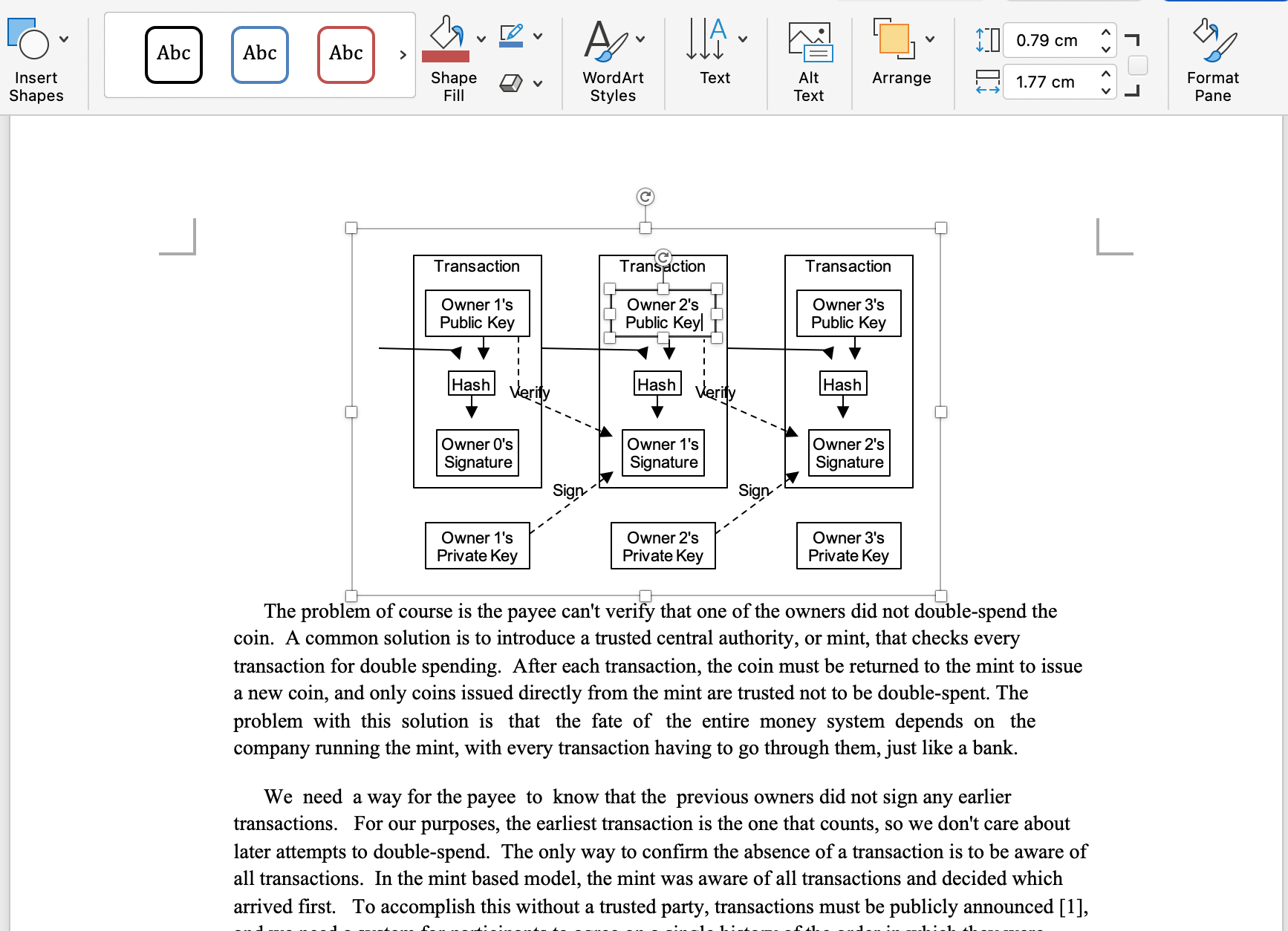
- Whether the graphic can be selected and modified in Word rather than behaving as one flat image.
- Whether decorative lines without clear connection relationships have been handled cautiously.
The online preview lets you compare the source file and processed result side by side, without repeatedly downloading files or switching windows. This makes it easier to spot missing nodes and obvious layout changes. For line-wrap differences caused by font substitution, use the actual file opened in desktop Word as the final reference.
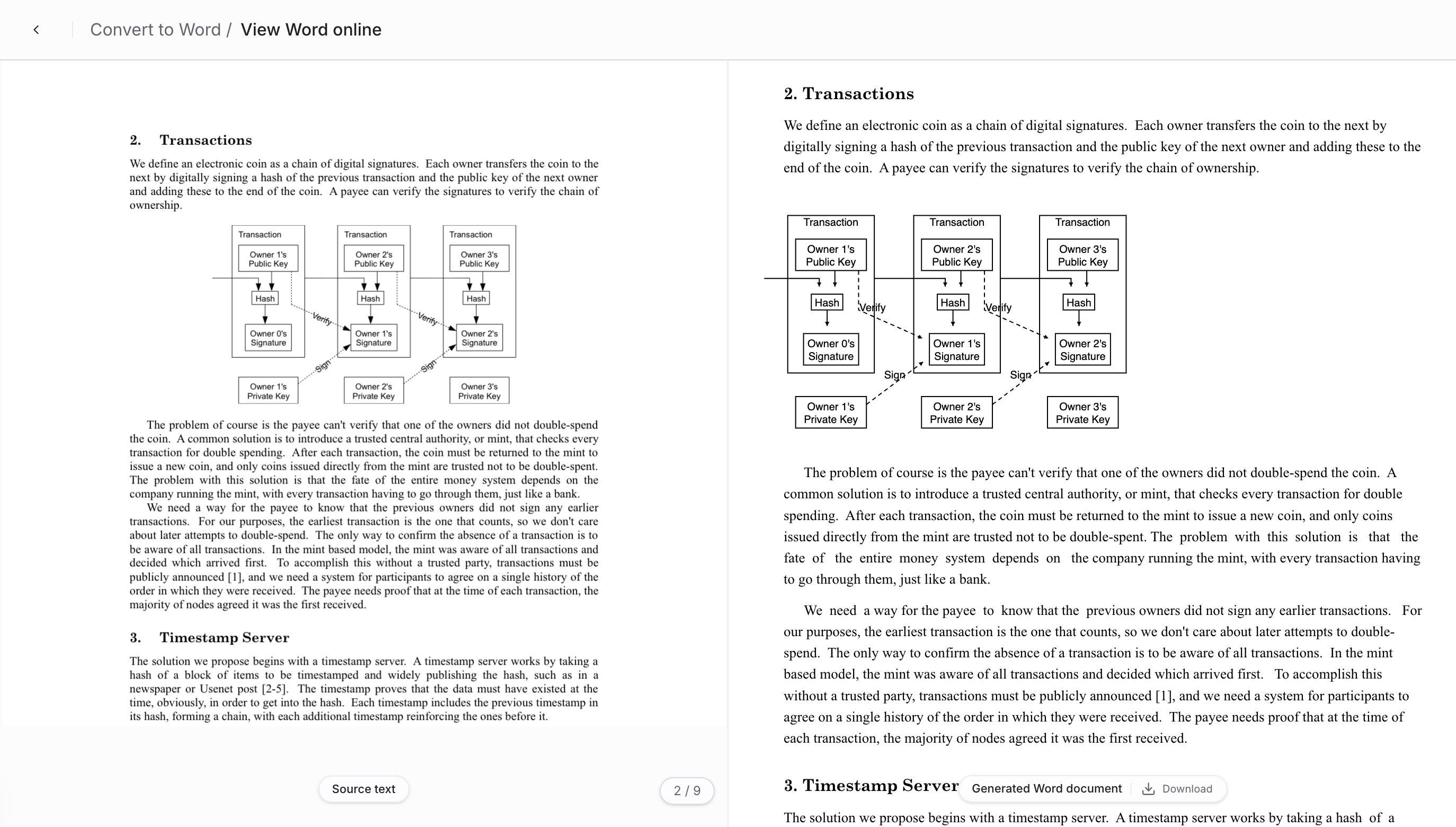
Diagrams with dense nodes, multiple hierarchy levels, or unclear connector endpoints still require human review. Preserving a visual result that can be checked is usually more valuable than automatically creating incorrect relationships.
What can you edit in the downloaded Word file?
For flowcharts that are successfully recognized and rebuilt, the downloaded DOCX retains them as editable Word drawing objects. You can select nodes, change text, adjust positions, or revise connections in Word without recreating the entire diagram in Visio or PowerPoint.
This output is especially useful when you need to:
- Organize technical white papers or diagram-heavy specification documents.
- Continue reviewing and revising processes in Word.
- Turn content from older PDFs into maintainable document templates.
- Update the text in one node without rebuilding the whole flowchart.
Current scope and limitations
Better suited to automatic processing:
- PDFs with a clear text layer rather than scanned images.
- Flowcharts made primarily of rectangular nodes, orthogonal connectors, and arrows.
- Diagrams with clear node boundaries and connector endpoints close to their corresponding boxes.
- Common organization charts, transaction flows, and system flowcharts.
Require human review or may fall back to a visual result:
- Illustrations with hand-drawn lines, dense curves, or many freeform shapes.
- Data charts such as bar charts and pie charts, which are structurally different from flowcharts.
- Flowcharts in scanned files, which should not currently be expected to receive vector-graphic recognition.
- Complex diagrams with many decorative elements, overlapping node boundaries, or unclear connections.
When structure cannot be restored reliably, preserving the visual result is generally more useful than creating incorrect editable relationships.
A practical workflow
- Upload a PDF that contains flowcharts.
- Choose Convert to Word.
- Use the side-by-side preview to check whether nodes, arrows, and the graphic layout are complete.
- Download the DOCX and select several nodes in Word to confirm that the shapes and text remain editable.
- Perform a human check for diagrams with dense connectors or complex hierarchies.
If you also need to translate text inside flowchart nodes, see Translate PDF Flowchart Text in Editable DOCX. If the next step is sending diagram content to a knowledge base, see DOCX Flowchart to Markdown: SVG and Mermaid. For general body-text, pagination, and font changes, refer to Why PDF to Word Formatting Changes.
Next step
Start with a small test using a real PDF that contains two or three representative flowcharts. The key question is not whether the result looks like a screenshot, but whether the diagram can actually be edited afterward. Once that is confirmed, you can expand the process to a larger batch of technical documents.